.png)

PEO Onboarding Fees: What U.S. Small Businesses Pay

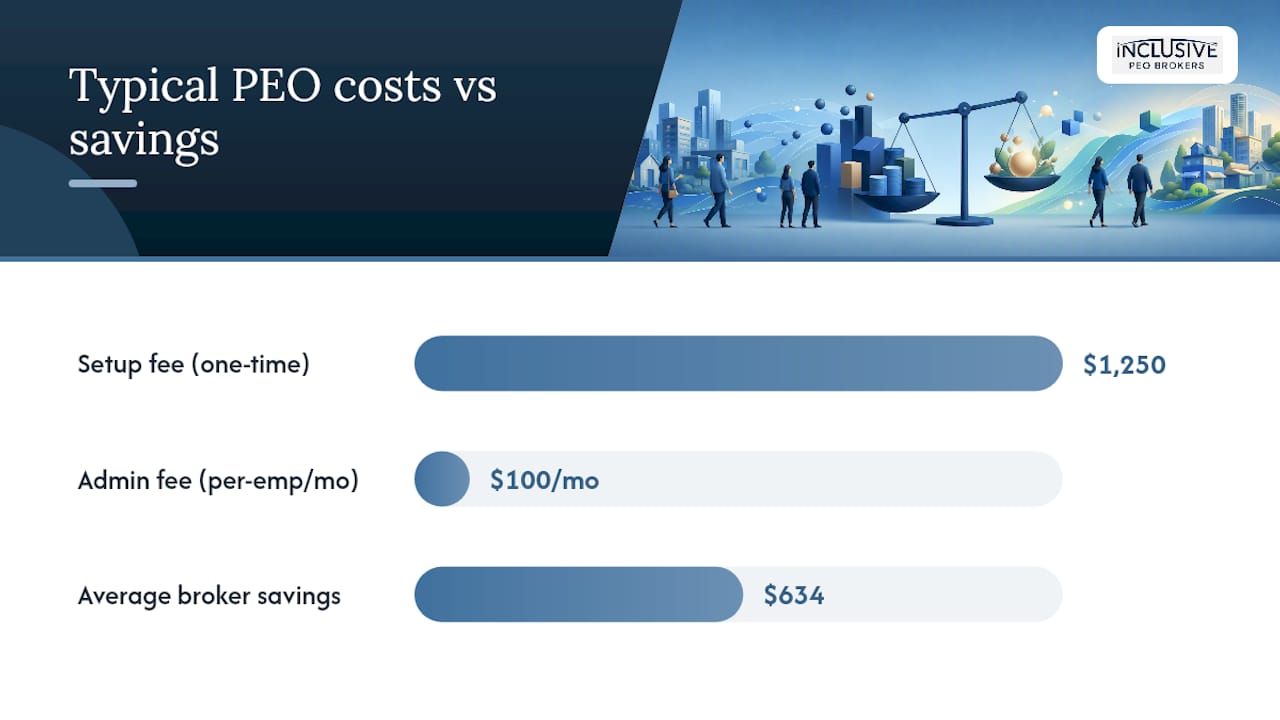
Most U.S. small businesses pay a one-time setup fee plus an ongoing administrative fee typically around forty to one hundred sixty dollars per employee per month or approximately five hundred to one thousand eight hundred dollars per employee per year, according to research from the US Chamber of Commerce. The setup fee usually lands between $500 and $2,000, and full onboarding typically takes 2 to 8 weeks from signed contract to live payroll. Before you sign anything, check three things on every quote:
- Whether the setup fee is charged once or amortized into your monthly bill
- Whether the admin fee is a flat per-employee rate or a percentage of total payroll
- Whether benefits are billed at the carrier’s actual rate or with a markup added on top
Key Takeaways
PEO onboarding fees typically combine a one-time setup charge of $500 to $2,000 with an ongoing administrative fee of $40 to $160 per employee per month or 2% to 12% of payroll, and comparing the fully loaded cost matters more than comparing any single line item.
| Point | Details |
|---|---|
| Setup fees are one-time | Expect $500 to $2,000 for most small businesses, higher for multi-state or custom integrations. |
| Admin fees use two models | Providers charge either a flat per-employee rate or a percentage of payroll, typically 2% to 12%. |
| Extra fees hide beyond the admin line | Benefits markups, SUI handling, and workers’ comp true-ups often bill separately. |
| Documents prove the real cost | Request an SUI rate certificate, carrier premium statements, and a sample invoice before signing. |
| Inclusive PEO Brokers reviews quotes for you | Matched clients save about 80 hours and an average of $634 through itemized quote review and negotiation. |
Table of Contents
- What PEO Onboarding Fees Actually Cover
- How Much Does PEO Onboarding Cost, on Average?
- Common Extra Fees That Show Up After Onboarding
- What Happens After You Sign: Timeline and Checklist
- How to Get an Itemized PEO Quote
- Negotiating Down Your Onboarding and Admin Fees
- An Onboarding Broker’s View on Fee Transparency
- Let Inclusive PEO Brokers Handle the Quote Comparison
- Sources
What PEO Onboarding Fees Actually Cover
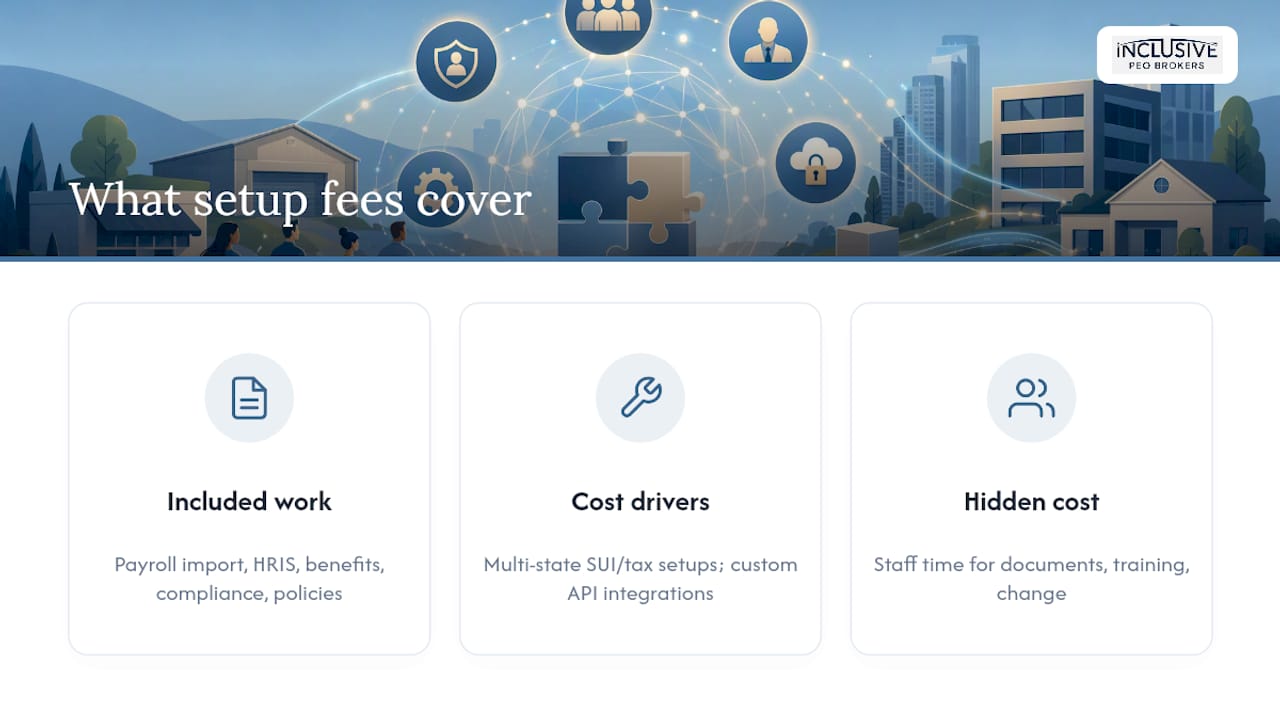
That setup fee isn’t just a processing charge. It pays for the behind-the-scenes work of moving your workforce onto a new employer of record structure: pulling your payroll history into the PEO’s system, configuring your HRIS and payroll platform, setting up benefits enrollment with new or existing carriers, collecting compliance records like I-9s and state tax registrations, and drafting or updating your HR policy documentation.
Two situations tend to push setup costs higher. A business with employees in five or six states needs separate state unemployment insurance (SUI) registrations and multi-state tax setups, which adds hours to the implementation. A company that wants its existing time-tracking or accounting software integrated with the PEO’s platform is also paying for custom API work, not a template.
There’s a cost you won’t see on the invoice, too: your own staff’s time. Someone on your team has to gather documents, train employees on the new self-service portal, and manage the internal change process. TriNet’s guide to evaluating PEO ROI points out that this internal labor is routinely left out of vendor quotes, but it still affects your total onboarding cost.
How Much Does PEO Onboarding Cost, on Average?
For a company with 10 to 50 employees, expect a setup fee typically between five hundred and two thousand dollars, with implementations involving multiple states or heavy custom integration sometimes running higher, according to pricing data compiled by Wisemonk. The ongoing administrative fee is where the real budgeting work happens, because PEOs price it two different ways.
Some charge a flat per-employee fee, commonly in the range of forty to one hundred sixty dollars per employee per month. Others charge a percentage of total payroll, often between low to mid single digits and a bit above ten percent, according to ADP’s PEO cost breakdown. Flat per-employee pricing tends to show up with smaller, lower-wage workforces where a percentage model would understate the PEO’s workload. Percentage-of-payroll pricing is more common with higher-earning teams, since it scales the fee to compensation levels rather than headcount alone.
Several variables move the quote up or down:
- Workforce size — smaller groups often pay a higher per-employee rate because fixed administrative costs get spread across fewer people.
- Industry risk classification — construction, manufacturing, and other higher-injury industries carry higher workers’ comp loads.
- Multi-state operations — each additional state adds SUI, tax, and compliance overhead.
- Benefits richness — more generous plan tiers increase both premiums and the markup applied to them.
- Workers’ comp claims history — a poor claims record raises your experience modification rate, which raises what you pay.
Common Extra Fees That Show Up After Onboarding
The admin fee is rarely the whole story. ADP’s own cost guidance explains that the administrative fee alone doesn’t capture your fully loaded cost, because benefits, workers’ comp, and other employment expenses often get billed separately.
Watch for these line items:
- Benefits administration markups added on top of the carrier’s actual premium
- Workers’ comp “true-up” charges after year-end payroll reconciliation
- SUI handling fees that may not match your state’s actual rate
- Technology or platform access fees charged per user, on top of the admin fee
- Recruiting or additional onboarding add-ons billed separately from the base package
- Early termination penalties buried in the contract’s fine print
Some cost guides suggest budgeting an extra 15% to 25% above your base admin fee to cover this kind of variable charge. If a contract describes fees in vague language like “administrative costs may apply,” that’s your cue to demand an itemized breakdown before signing, not after.
What Happens After You Sign: Timeline and Checklist
Once you sign, full onboarding commonly takes 2 to 8 weeks, with more states, more benefit plans, or messy existing payroll records pushing that timeline toward the longer end, per the US Chamber’s PEO guide. Here’s the general sequence and who typically owns each step:
- Submit payroll history and tax IDs (you provide) so the PEO can configure tax withholding correctly.
- Provide an employee census (you provide) listing names, wages, and classifications.
- Select benefit plans (you decide, PEO administers) from the carrier options the PEO offers.
- Employees complete W-4, I-9, and direct deposit forms (employees complete, PEO collects) through the new HR portal.
- Run a parallel or test payroll (PEO runs, you verify) to confirm wages, deductions, and tax withholdings match your records.
- Approve go-live (you approve) once test results check out.
Before go-live, verify three things: the test payroll results match your expectations exactly, you’ve received a valid SUI rate certificate, and the first carrier invoice matches the premium you were quoted.
How to Get an Itemized PEO Quote
Most PEOs don’t publish full pricing publicly, which means the burden of comparison falls on you. The US Chamber’s guidance on choosing a PEO recommends insisting on an unbundled fee schedule rather than accepting a single bundled number. Ask every provider these questions directly:
- Is the setup fee charged once, or amortized into monthly billing?
- Is the admin fee a flat per-employee rate, or a percentage of payroll?
- Are benefits billed at the carrier’s actual premium, or with a markup?
- How are SUI and workers’ comp costs itemized on the invoice?
Then request the paperwork that proves the answers: an SUI rate certificate, benefit carrier premium statements, payroll tax charge detail, the workers’ comp policy and experience modification rate, and a sample invoice showing exactly how charges will appear month to month. ESI PEO’s guidance on setup fees specifically recommends comparing these documents against billed amounts to catch markups before you sign.
Pro Tip: Ask the PEO to tie its quote to specific written assumptions, like your exact headcount, state footprint, and benefit tier. A quote based on vague assumptions is one that can quietly change once you’re locked in.
Negotiating Down Your Onboarding and Admin Fees
You have more leverage than most first-time buyers assume. Common levers include asking the PEO to waive or amortize the setup fee, committing to a longer contract term in exchange for a lower monthly admin rate, dropping optional add-ons like recruiting support, or negotiating your benefits contribution structure directly.
A lower admin fee isn’t automatically a better deal. Some providers offset a discounted admin rate with a higher markup on workers’ comp or benefits, so comparing the fully loaded cost matters more than comparing any single fee.
You can also cut costs by reducing implementation hours. Arrive with clean, organized payroll history and a single consolidated file of benefit elections, and the PEO’s team spends less billable time untangling your records.
An Onboarding Broker’s View on Fee Transparency
Every engagement we run at Inclusive PEO Brokers starts with pushing for an itemized, unbundled quote rather than accepting a bundled number at face value. Clients we’ve matched save roughly 80 hours in the selection process and an average of $634 across 133 completed implementations.
Let Inclusive PEO Brokers Handle the Quote Comparison
There are other paths here: negotiate directly with a PEO sales rep, hire a general HR consultant, or piece together the comparison yourself using the documents outlined above. Each works, but each also puts the burden of reading fine print and chasing SUI certificates back on you.

Inclusive PEO Brokers reviews itemized quotes on your behalf, flags markup gaps between billed and carrier rates, and negotiates setup and admin fees directly with providers before you sign anything. Clients typically move through onboarding faster, avoid the surprise line items buried in vague contract language, and walk away with a documented average savings of $634 per engagement. If you’re comparing PEO quotes right now, get a free quote review and find out what an unbundled breakdown of your specific offer actually looks like.
Sources
- Choosing a PEO: A Guide to Finding Affordable Services | CO- by US Chamber of Commerce
- What is the cost of a PEO? | ADP
Recommended
.svg)
Seeking a different solution? Meet Your Business Needs